T-Shirt Design Size Chart: The Complete Logo & Graphic Sizing Guide
Getting your logo size wrong on a t-shirt is one of those mistakes you don't notice until it's too late. The shirts arrive, you pull one out of the box, and something just feels off. The design sits too low, the graphic looks undersized, or the whole thing feels unbalanced. Sound familiar?
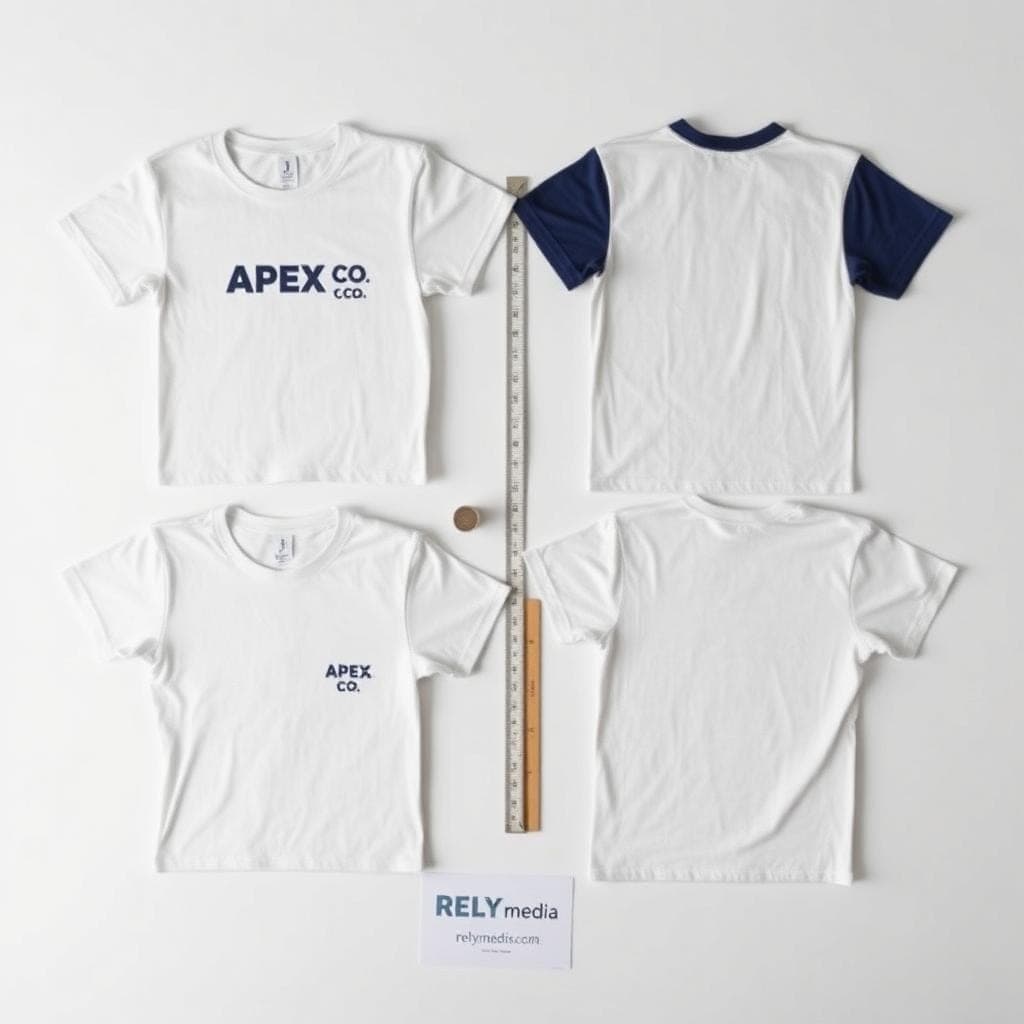
Whether you're ordering custom t-shirts for your band, kitting out a sports team, or printing volunteer shirts for a nonprofit event, nailing your t-shirt design dimensions from the start saves you time, money, and a whole lot of frustration. This complete t-shirt design size chart covers every placement — front, back, chest, sleeve, pocket, and more — so your custom shirts always look sharp, professional, and perfectly proportioned.
Why Getting Your T-Shirt Design Dimensions Right Actually Matters
Think about the last branded shirt you saw that looked amazing. Chances are, the logo sat perfectly on the chest, the artwork felt balanced, and nothing looked stretched or squished. That's not an accident — it's intentional shirt-designing.
Poor graphic size for a t-shirt creates a ripple effect. A logo that's too large looks cheap and overwhelming. Too small, and it disappears entirely. Off-centre placement reads as careless. Whether you're handling a single promotional shirt printing order or bulk custom apparel for a corporate event, getting your design placement right is the most important step before you hit print.
T-Shirt Design Size Chart: Quick Reference Guide
Use this master table as your starting point for every printing job. These are industry-standard t-shirt print dimensions used by professional decorators across the US.
| Placement | Adult Men's | Adult Women's | Youth |
|---|---|---|---|
| Full Front | 11" – 12.5" wide | 9" – 11" wide | 9" – 10.5" wide |
| Full Back | 11" – 12.5" wide | 9" – 11" wide | 9" – 10.5" wide |
| Across the Chest | 9" – 12" wide | 8" – 10" wide | 7" – 9" wide |
| Top Back | 9" – 12" wide | 8" – 10" wide | 7" – 9" wide |
| Right Chest/Pocket | 3.5" – 4" wide | 3" – 3.5" wide | 2.5" – 3" wide |
| Short Sleeve | 4" x 3" | 3.5" x 2.5" | 3" x 2" |
| Long Sleeve | 2.5"–3.5" x 14"–15" | 2.5"–3" x 13"–14" | 2" x 11"–12" |
Pro tip: Always request a digital proof before bulk printing — especially for custom team shirts, branded uniforms, or any order where consistency matters.
Full Front & Full Back Shirt Design Size
Full Front Print — Dimensions & Placement
The full front print is the most popular choice for band shirts, school t-shirt printing, and company apparel. It's bold, highly visible, and gives your artwork maximum real estate on the garment.
Standard full front shirt design size:
- Adult Men's: 11" to 12.5" wide
- Adult Women's: 9" to 11" wide
- Youth: 9" to 10.5" wide
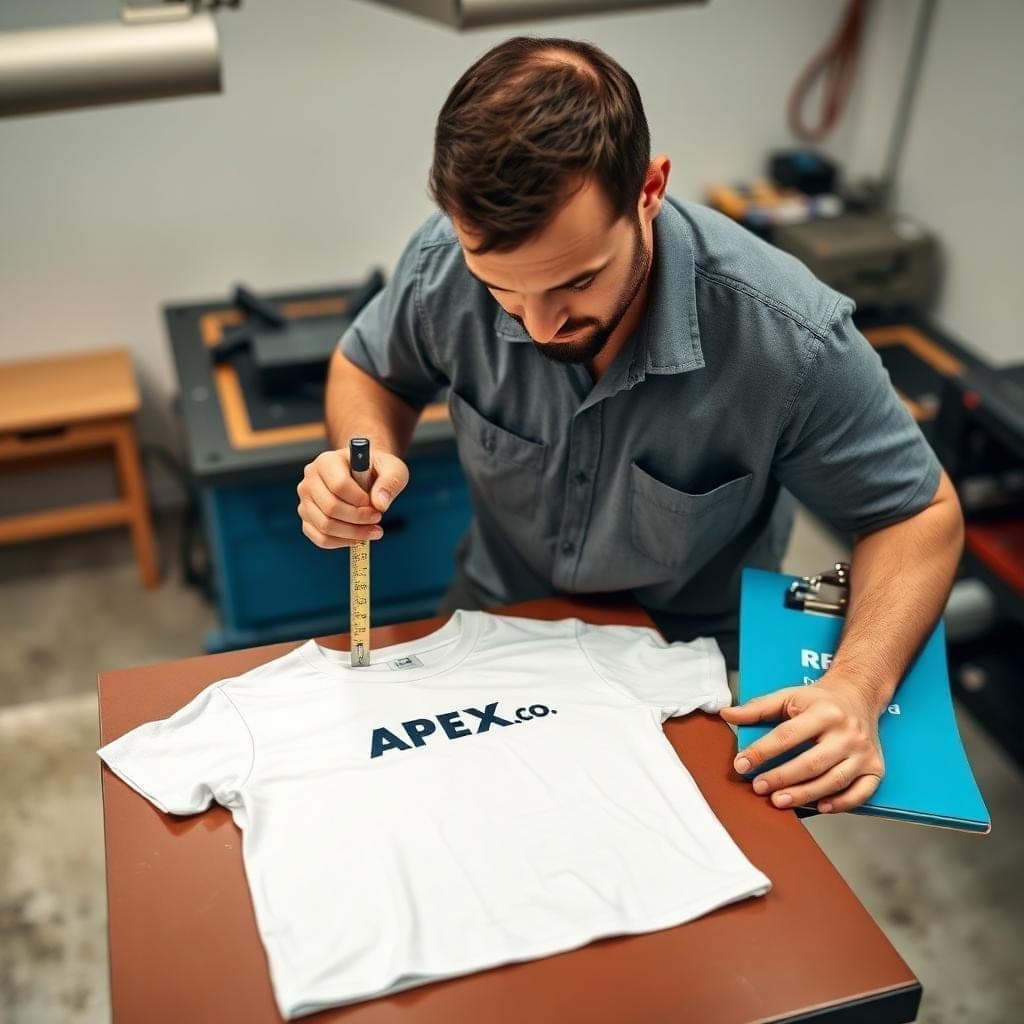
Centre your front graphic both horizontally and vertically on the chest area. The sweet spot sits right where the centre line and chest line intersect — about 2" to 3.5" below the collar. That single reference point guarantees perfect design placement every time.
Full Back Shirt Design Size
Sports jersey printing and event t-shirt printing commonly use the full back for names, numbers, and sponsor logos. The full back shirt design size mirrors the full front measurements almost exactly.
- Adult Men's: 11" to 12.5" wide
- Adult Women's: 9" to 11" wide
- Youth: 9" to 10.5" wide
For jersey name and number placement, keep text centred between the shoulder blades and mid-back. This gives your back graphic a clean, athletic look whether you're printing one jersey or fifty.
How to Measure a Shirt for Front & Back Printing
Grab a tape measure and follow these four steps:
- 1Lay the shirt flat on a clean surface
- 2Measure 2" to 3.5" down from the collar
- 3Find the horizontal centre of the shirt
- 4Mark the intersection — that's your design anchor point
This measurement method works for both full-front and full-back shirt design sizes, regardless of garment style or fabric weight.
Chest & Top Back Print Placement
Across the Chest Print — Size & Placement
Volunteer shirts, nonprofit apparel, and retail uniforms frequently use across-the-chest print placement. It's clean, readable, and works beautifully with text-based designs and simple one-colour t-shirt printing layouts.
To nail chest print placement precisely:
- 1Place one finger below the collar and mark that spot
- 2Measure one finger inward from the left sleeve toward the chest
- 3Measure one finger inward from the right sleeve toward the chest
- 4Print your design within those three reference points
Keep your artwork between 9" and 12" wide for adult men's shirts, and between 8" and 10" for adult women's shirts.
Top Back Print Placement — Size & Alignment
Top-back placement works well for team and organisation names on volunteer shirts. Position it near the upper back, just below the collar, and keep it centred for a polished finish.
- Width: 9" to 12" for adult men's
- Start 1" to 2" below the collar
How to Measure for Chest & Top Back Designs
The finger-measurement technique is surprisingly accurate here. Use one finger width as your spacing guide from both the collar and sleeve edges. Mark all three reference points before committing to your final print placement — it takes thirty seconds and prevents costly reprints.
Pocket & Right Chest Logo Placement
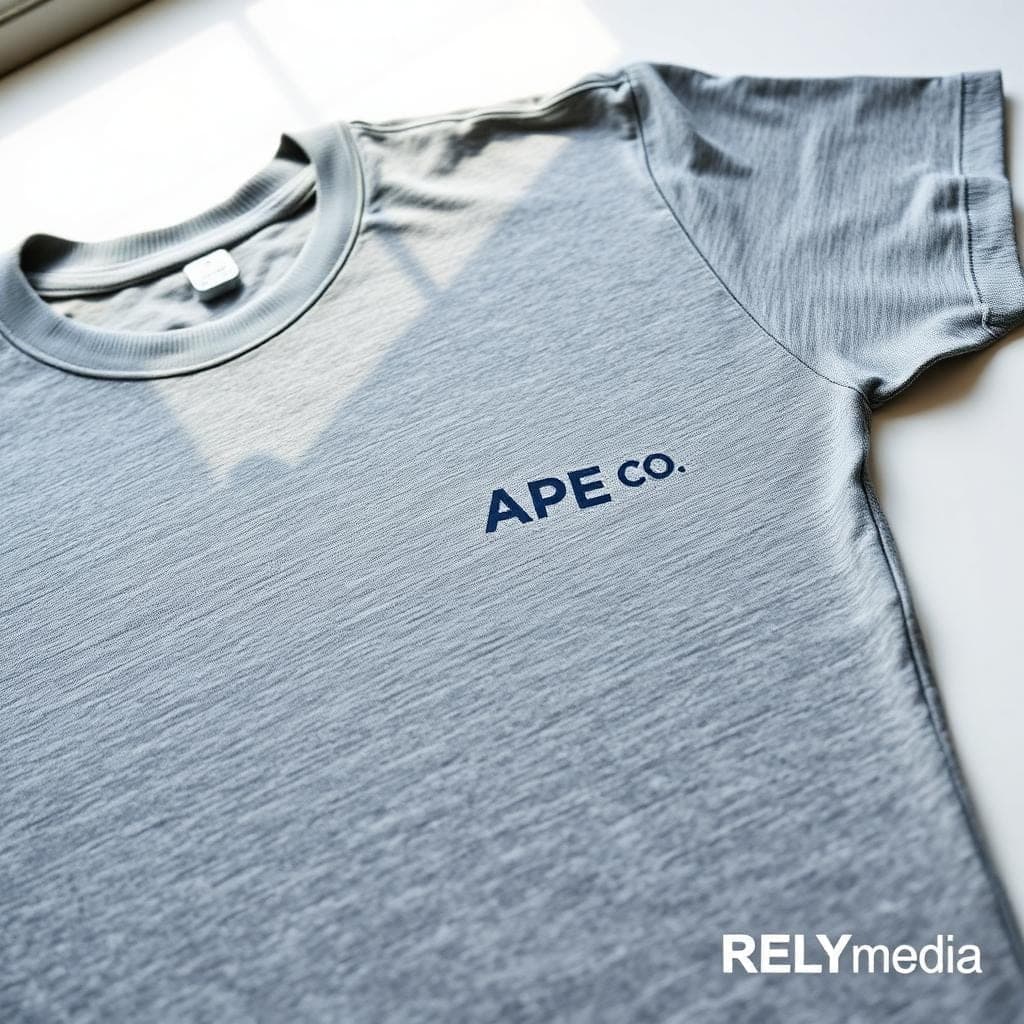
Pocket Logo Size — What Works Best
Restaurant uniform logo placement and retail uniform printing almost always land in the pocket or right chest area. It's subtle, professional, and instantly signals branded custom apparel without overwhelming the garment.
Standard pocket print measurement:
- Adult: 3.5" to 4" wide
- Youth: 2.5" to 3" wide
Keep your pocket graphic clean and simple. A pocket logo is not the place for complex multi-colour t-shirt printing — one or two colours read far better at this scale.
Right Chest Logo Placement — The Professional Standard
Wondering what's a good logo size for the right corner of a t-shirt? Here's your answer: 3.5" wide by 3.5" tall is the industry sweet spot for adult shirts. It reads clearly, looks intentional, and never dominates the front of the garment.
This is the standard size for custom logo apparel across retail, hospitality, and corporate environments. Affordable custom t-shirt printing almost always defaults to this placement for uniform and workwear orders.
How to Measure for Pocket & Chest Logo Printing
- Vertical reference line: Start at the collar-shoulder junction and measure down to the bottom of the armhole
- Horizontal reference line: From the bottom of the arm hole, measure one finger width inward.
Print your logo where those two lines intersect — that's your ideal collar placement zone. Sleeve Logo Dimensions & Printing Guidelines
Short Sleeve Logo Placement — Size & Alignment
Sleeve graphic alignment is all about balance. You want the log centred on the sleeve without bleeding off the edges or crowding the seam.
Sleeve logo dimensions:
- Adult: 4" wide x 3" tall
- Youth: 3" wide x 2" tall
Leave visible fabric on all four sides of your sleeve decal. A design that touches the sleeve seam or cuff edge immediately looks rushed. Centre it, give it breathing room, and it'll look clean every time.
Long Sleeve Print Placement — Size & Alignment
Long-sleeve print placement creates a fashion-forward look that works brilliantly for winter event shirts and shirts for fashion stores. It's unexpected and on-trend, making even a simple graphic feel intentional.
Ideal long sleeve print size:
- Width: 2.5" to 3.5"
- Length: 14" to 15"
Start the design one finger width below the shoulder seam. Make sure it doesn't reach the wrist area — that's the golden rule for long-sleeve print placement.
Sleeve Graphic Alignment Tips
- Always centre the graphic across the full sleeve width
- Check alignment on a flat surface before printing
- Run long-sleeve designs parallel to the sleeve seam for a clean, professional finish.
- For fashion store shirts, slightly oversized sleeve graphics add a streetwear edge
outh & Baby Onesie Print Sizes
Youth T-Shirt Print Size by Placement
Youth shirts need genuinely scaled-down dimensions. Don't just shrink an adult design and call it done — the proportions shift, and repositioning matters just as much as resizing.
| Placement | Youth Size |
|---|---|
| Full Front/Back | 9" – 10.5" wide |
| Chest/Top Back | 7" – 9" wide |
| Pocket/Right Chest | 2.5" – 3" wide |
| Short Sleeve | 3" x 2" |
Baby Onesie Printing — Size by Age
Custom baby clothing printing requires age-specific sizing. Scale your design to the garment — never the other way around.
| Age | Image Size |
|---|---|
| 0–3 months | 3" x 3" |
| 3–6 months | 4" x 4" |
| 6–9 months | 5" x 5" |
| 12 months | 6" x 6" |
| 18 months | 7" x 7" |
| 24 months | 8" x 8" |
A design that works perfectly on an 18-month-old onesie will overwhelm a 0–3-month garment. Always match your onesie image size to the specific age range you're printing.
T-Shirt Design Size in Pixels — What You Need to Know for Digital Files
Recommended Pixel Dimensions by Placement
When preparing digital files, the t-shirt design size in pixels matters just as much as physical measurements. Use these benchmarks when setting up files in Photoshop or any design software:
| Placement | Recommended Size at 300 DPI |
|---|---|
| Full Front/Back | 3300 x 3800 px |
| Chest/Right Chest | 1050 x 1050 px |
| Sleeve | 1200 x 900 px |
| 1050 x 1050 px |
Image Resolution for T-Shirt Printing — DPI Guide
Always design at 300 DPI minimum. Anything lower produces blurry, pixelated prints — especially on dark t-shirts where the ink-to-fabric contrast is highest.
- Screen printing: 300 DPI at final print size
- Full colour digital printing: 150–300 DPI acceptable
- Embroidery: Vector files are strongly preferred
T-Shirt Design Size for Photoshop & Design Software
Working in Photoshop? Set your canvas to 300 DPI and use inches as your unit of measurement. Always design at the exact final print size — scaling up later degrades your image resolution for t-shirt printing and results in a noticeably softer print.
Vector vs Raster — Which File Format Should You Use?
| Format | Best For | Why |
|---|---|---|
| SVG / AI / EPS (Vector) | Screen printing, embroidery | Infinitely scalable, zero quality loss |
| PNG (Raster, 300 DPI) | Digital/DTG printing | Supports transparency |
| JPEG | Avoid if possible | Compression reduces print quality |
For most shirt printing jobs, vector files are the right call — especially for embroidered designs and screen-printed apparel, where sharp edges matter most.
Choosing the Right Imprint Method for Your Design
Not all printing methods deliver the same results. Your imprint method directly affects colour vibrancy, texture, durability, and cost. Here's how the main options compare:
| Method | Best For | Colors | Texture |
|---|---|---|---|
| Screen Printing | Bulk orders, simple designs | 1–6 colors | Flat, smooth |
| Heat Transfer | Small runs, detailed designs | Multi-color | Slightly raised |
| Full Color/DTG | Photo-quality, complex artwork | Unlimited | Soft |
| Embroidery | Premium apparel, hats, jackets | Thread-matched | Textured, raised |
Screen Printing — Best for One or Few Ink Colours
Screen printing shirts remains the gold standard for bulk custom apparel. It's cost-effective, durable, and produces consistently sharp results. For dark t-shirts, use light ink colours such as white, lavender, or sky blue. For light t-shirts, dark inks like black, navy, or maroon deliver maximum contrast and readability.
Heat Transfer — Flexible & Cost-Effective
Heat transfer shirts work well for small runs and intricate designs. It's a smart, affordable custom t-shirt printing option with fast turnaround and no minimum order requirements — perfect for event t-shirt printing and last-minute branded apparel orders.
FullColourr Digital Printing — Unlimited InColoursrs
Full-colour shirt printing opens up every creative possibility. Unlimited ink colours mean photo-realistic artwork, smooth gradients, and complex graphics all print beautifully. It's the go-to for band shirt artwork printing, school t-shirt printing, and any design where colour depth matters.
Embroidery — For a Premium Textured Finish
Want texture and a truly Premium feel? Skip the ink entirely. Logo embroidery on apparel communicates quality that flat printing simply can't replicate. It works beautifully on custom jackets' embroidery, beanie hat embroidery, and any branded apparel where a high-end finish is the goal.
InkColourr Tips for Dark & Light T-Shirts
Colour contrast is what makes or breaks a printed design on fabric. Follow these rules every time:
For dark t-shirts:
- Use white, lavender, sky blue, or similarly light ink colours
- Never print dark-on-dark — it becomes invisible on the garment
- High-contrast designs read clearly from a distance
For light t-shirts:
- Use black, navy, maroon, or forest green
- Avoid light-on-light combinations — they wash out completely. Multi-colour t-shirt printing works especially well on white or natural-coloured garments.
One-colour t-shirt printing on a contrasting base is often the most cost-effective and visually impactful choice for promotional and branded apparel printing campaigns.
Logo Sizing by Shirt Type — Jerseys, Uniforms, Band Shirts & More
Different garment types follow different design sizing conventions. Here's what works best for each category:
Sports Jersey Printing — Name, Number & Logo Placement
For sports league jerseys, standard back graphic sizing includes:
- Player name: Top back, 2" below collar, lettering 2"–3" tall
- Jersey number Centre back, 8"–10" tall
- Front number: 4"–5" tall, centred on the chest line
Keep everything centred along the garment's vertical axis for a clean, athletic finish.
Team & Retail Uniform Logo Placement
Restaurant uniform logo placement and retail uniform printing almost universally use the right chest position. Standard size: 3.5" wide, positioned 4" from the collar and 4" from the centre of the pocket. It's professional, consistent, and reads clearly at conversational distance — exactly what custom uniform printing demands.
Band Shirt Artwork Printing
Band shirts live and die by their full front print. Go bold — 11" to 12.5" wide for adult men's shirts. Use full-colour digital printing for album artwork or any design with complex imagery, gradients, or photographic elements.
Volunteer & Event T-Shirt Printing
Volunteer shirts and event apparel typically use across-the-chest text placement. Keep it straightforward: one ink colour, high contrast, a clean, readable font. Design centred on the shirt, sized between 9" and 12" wide — readable at a distance and professional up close.
Struggling to get your shirt design dimensions just right? RELYmedia's team of branded apparel experts takes the guesswork out of every order. From right chest logo placement to full front artwork, they handle every detail with precision — fast turnarounds, zero quality compromises, and hundreds of five-star reviews to back it up. Get your custom quote from RELYmedia today.
Struggling to get your shirt design dimensions just right?
RELYmedia's team of branded apparel experts takes the guesswork out of every order. From right chest logo placement to full front artwork, they handle every detail with precision — fast turnarounds, zero quality compromises, and hundreds of five-star reviews to back it up.
Frequently Asked Questions
How big should a design be on a shirt?
For a full front print, aim for 11"–12.5" wide on adult men's shirts. Right chest logos sit best at 3.5"–4" wide. Always scale down proportionally for women's and youth sizes.
What size logo for the front of a shirt?
Right chest logos should be 3.5" wide x 3.5" tall for adults — professional, clean, and perfectly proportioned for custom logo apparel of any kind.
What's a good logo size for the right corner of a T-shirt
Stick to 3.5" x 3.5" for adult shirts. Scale to 2.5"–3" for women's and youth sizes. Anything larger starts to overpower the garment.
What size design for a large shirt?
Large adult shirts follow standard adult men's guidelines: the full front is 12"–12.5" wide, and the right chest is 3.5"–4" wide. The print area on t-shirts doesn't change dramatically between medium and large — placement consistency matters more than size adjustment.
What is the standard T-shirt design size in inches?
Full front: 11"–12.5". Right chest: 3.5"–4". Short sleeve: 4" x 3". These are the most widely accepted industry-standard dimensions for shirt designs across the US.
How do I size a design for a youth shirt?
Scale down by roughly 15%–20% from adult dimensions. Youth full front prints run 9"–10.5" wide. Always adjust both size and placement — don't just shrink the artwork.
What image resolution do I need for t-shirt printing?
Always use 300 DPI at your final print size. Lower resolution produces blurry, unprofessional results — particularly on dark garments where contrast amplifies every imperfection.
What's the best print method for a colourful design?
Full-colour digital printing — also called DTG printing — handles unlimited ink colours beautifully. It's the best choice for photorealistic artwork, complex gradients, and any design that goes beyond six colours.
Ready to print your team's name on premium apparel?
Fill in your details and a RELYmedia specialist will come back to you with a custom quote — fast turnaround, no obligation.
- ⚡Same-day response on business days
- 🎨Free design assistance included
- 🚚Rush order & fast delivery available
- 💰Price beat guarantee on every order
The Bottom Line on T-Shirt Design Sizing
Shirt design sizing isn't guesswork — it's a craft built on precise measurements, smart placement decisions, and the right imprint method for the job. Whether you're measuring for a pocket print, scaling a full back graphic for a sports jersey, or prepping a 300 DPI digital file for DTG printing, every decision shapes how the final product looks and feels on the garment.
Get the dimensions right, and your custom shirts will look like they came straight from a professional print shop. Get them wrong, and even the most beautiful design falls flat.
That's exactly why businesses, teams, schools, and organisations across the country trust RELYmedia for their branded apparel printing needs. Based in Eagan, Minnesota, RELYmedia combines deep industry expertise with industry-leading turnaround times to deliver custom shirts, uniforms, and promotional apparel that make a real impression — every single order, every single time.
Ready to print shirts that look exactly right? Contact RELYmedia today and let their expert team bring your design to life.
Ready to print shirts that look exactly right?
Contact RELYmedia today and let their expert team bring your design to life.
Ready to print shirts that look exactly right?
Our Customer Feedback


Mike Larson
 (5)
(5)Unbelievable Turn-around
We are stunned with how quickly we received our order. It turned out perfect, and all of our interactions with staff have been fantastic. Thank you so much!
Jana
(5)Great customer service and on-time delivery with product as advertised!
The product arrived exactly as advertised and on time. This company was very easy to work with, and the price was great!
Sarah
(5)Quick Turn-Around and Immediate Communisaton
I've ordered a couple times from RELY. My initial order was not time sensitive so we had time to get it correct. We went back and forth with proofs until I felt comfortable. When I had a question, the sales team was very responsive. When it came to my re-order, I needed it fast. They responded and got it to me right on time.
Rob
(5)Fabulous experience, great suggestions from the staff!
The sales staff had great suggestions and were very helpful in the process to, in the end, get exactly what was necessary for our use!
Emily
(5)Great service!
Everything went well as anticipated, and as planned. Service was superb & shipment was expedited in a speedy fashion! Thank you for your service!
Freddy
(5)Thumbdrives
2nd time I have ordered from these guys and they have a good product for the price. The delivery time was as said with no troubles. Would recommend and will be reordering again.
Patty
(5)This is a top notch company. Awesome as what they do. Highly recommend.
If you are looking for a company that says what they do and then do what they say - RELYmedia is for you!!! We have done a couple critical orders with RELYmedia and they were ahead of schedule and the items were perfect. We will be utilizing their talents again!!!
Blanca
(5)Very responsive,
All my inquiries were handled in a very timely fashion. My contact was courteous and helpful. Items ordered were received very quickly. Thanks for the superior service!
Andrew
(5)Overall great experience.
They are friendly and knowledgeable. They are well priced, and ship fast.
Trusted By